
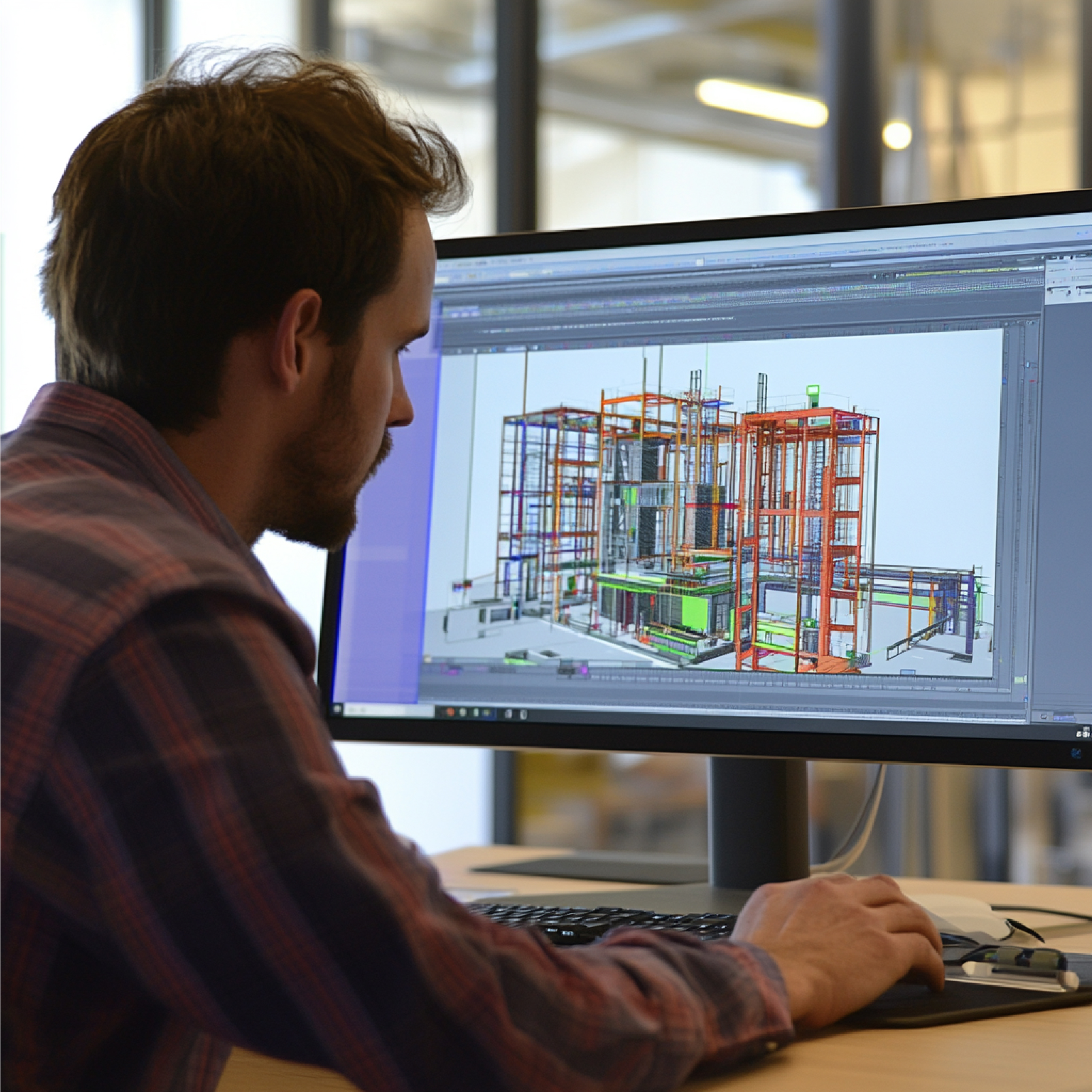
A Revit BIM model is much more than a three-dimensional drawing of a building. It is an intelligent digital representation of a physical asset where geometry, specifications, relationships, and project information can be organized into a connected model. For architects, structural engineers, MEP consultants, contractors, facility managers, and asset owners, this approach can transform the way a building is designed, documented, coordinated, constructed, and maintained. Autodesk describes BIM as a process for creating and managing information about built assets, while Revit is one of the software platforms that supports this process.
That distinction is important because a successful BIM project is not simply about creating attractive 3D geometry; it is about creating useful, structured information that can support decisions throughout a project’s lifecycle. For existing buildings, the opportunity becomes even more interesting when 3D laser scanning and point cloud data are used as the foundation for creating an accurate as-built Revit model. Instead of relying exclusively on outdated drawings or manual measurements, project teams can capture existing conditions digitally and convert those observations into a coordinated BIM environment. This is where Scan to BIM and Revit BIM modeling become especially valuable for complex buildings, industrial facilities, infrastructure environments, commercial properties, airports, healthcare facilities, heritage structures, and other assets where accuracy matters.
What Is a Revit BIM Model?
A Revit BIM model is a structured digital model created using Autodesk Revit to represent the physical and functional characteristics of a building or facility. Unlike a conventional 2D CAD drawing, where a line representing a wall is essentially just a line, a Revit wall can contain meaningful information about its dimensions, materials, location, relationships with other elements, and other project parameters. The same principle applies to doors, windows, floors, roofs, structural members, pipes, ducts, equipment, furniture, electrical components, and numerous other building elements.
This makes the model useful not only for visualization but also for documentation, coordination, quantity-related workflows, design development, and construction planning. Autodesk explains that Revit organizes model elements into categories and families, with parameters and information associated with those elements. In practical terms, this means that a BIM model can behave more like a digital database connected to a 3D representation than a simple collection of lines and surfaces. The value of the model therefore depends heavily on the quality of the information embedded within it. A poorly developed model may look impressive but provide limited practical value, while a properly structured model can become a valuable project information resource. For VB Terrascan, this becomes particularly relevant when the Revit model is developed from reality-capture data, because the objective is not simply to draw what a building should look like but to document what actually exists.
Revit vs BIM: What Is the Difference?
The terms Revit and BIM are often used interchangeably, but they are not the same thing. BIM, or Building Information Modeling, is a broader methodology and information-management approach used across the architecture, engineering, construction, and operations lifecycle. Revit is a software platform designed to help professionals create and manage building information models. Think of BIM as the overall language or working methodology and Revit as one of the tools that can be used to speak that language. This distinction becomes especially important when selecting a BIM service provider because buying or using Revit software does not automatically guarantee that the resulting model follows a useful BIM workflow.
A professional BIM model requires appropriate project standards, modeling rules, naming conventions, levels of development, element classification, coordination procedures, and quality control. Autodesk specifically notes that Revit itself is not BIM; BIM is the broader process of modeling and managing information associated with buildings and infrastructure. This is why an experienced Revit BIM modeling company should understand both the technical capabilities of Revit and the information requirements of the project. For existing structures, the process may begin with laser scanning, point clouds, photographs, drawings, or other survey information before that data is transformed into a structured Revit model.
Why Revit BIM Models Matter in Modern AEC Projects
Modern construction projects are becoming increasingly complex, and that complexity creates a growing need for reliable information. A project may involve architects, structural engineers, MEP consultants, contractors, fabricators, owners, surveyors, facility managers, and multiple specialist subcontractors. Each stakeholder needs access to accurate information, but traditional workflows often separate information into drawings, spreadsheets, PDFs, photographs, surveys, and individual software files. That fragmentation can create confusion and increase the possibility of coordination problems.
A well-developed Revit BIM model provides a more connected environment in which building components and their relationships can be represented consistently. When teams coordinate architectural, structural, and MEP information within a BIM workflow, they can identify potential conflicts before construction progresses too far. BIM also makes it easier to generate different representations of the same underlying information, including plans, sections, elevations, schedules, and 3D views. This connected approach is one of the major reasons BIM has become increasingly important across the AEC industry. Autodesk describes BIM as integrating structured, multidisciplinary information into a digital representation of an asset across its lifecycle. The practical benefit is simple: instead of asking different teams to interpret disconnected information, stakeholders can work from a more coordinated digital representation of the project.
From 2D Drawings to Intelligent Building Information
Many existing buildings still depend on 2D drawings that may be incomplete, inaccurate, outdated, or difficult to interpret. Renovation and retrofit projects can therefore begin with a major information gap. A drawing created twenty years ago may not reflect later modifications, relocated equipment, changed room layouts, new MEP installations, or structural alterations. Creating a Revit BIM model from existing documentation can help convert fragmented information into a more structured digital environment. Autodesk provides workflows for using traditional 2D CAD files as a basis for creating BIM models in Revit, although this is not an automatic one-click conversion.
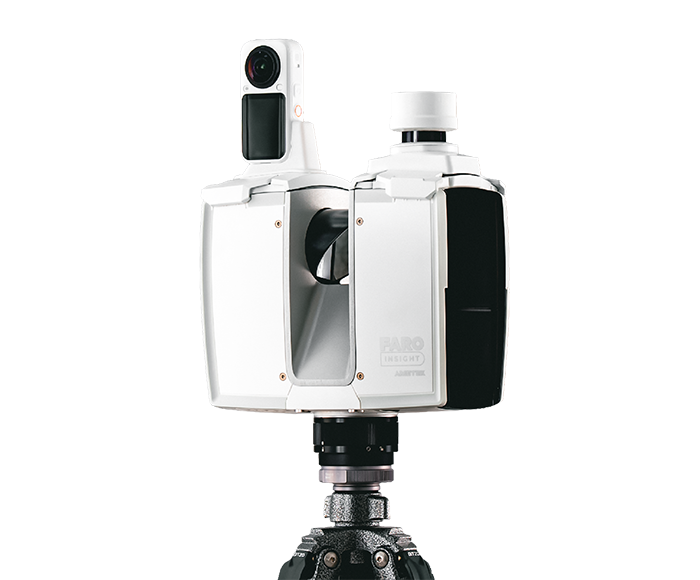
The process requires interpretation, modeling, and coordination. For higher-confidence existing-condition documentation, laser scanning can add another layer of reality-based information. A scanner captures millions of measurements from the physical environment, producing a point cloud that can be registered and used as a reference for BIM development. Instead of measuring every wall, column, pipe, duct, or piece of equipment manually, the project team can work from a comprehensive digital capture of the environment. This is particularly valuable in complicated facilities where accessibility is limited and where even small discrepancies can affect downstream design decisions.
How a Revit BIM Model Is Created
Creating a Revit BIM model is a structured process rather than simply opening Revit and beginning to draw. The workflow usually starts by defining the project’s objectives, required deliverables, modeling scope, coordinate system, expected level of development, and source information. Depending on the project, source data may include architectural drawings, structural drawings, MEP drawings, survey information, photographs, specifications, CAD files, laser scans, point clouds, or a combination of these sources. Once the source information is reviewed, the project environment is established and the appropriate modeling standards are applied. Levels, grids, coordinates, and project units are established before the main model elements are developed. Architectural, structural, and MEP components can then be modeled according to the project requirements.
When the project is based on reality capture, the point cloud acts as a reference against which existing conditions can be interpreted and modeled. Quality assurance is an essential part of the process because a BIM model can contain thousands or even millions of individual data relationships. Errors in coordinates, element placement, family selection, or model structure can create problems later. A professional workflow therefore includes model review, coordination checks, visual inspection, and validation against the source information.
Starting With Existing Drawings or Site Data
The first question for an existing-building project is often surprisingly basic: What information do we actually have? Some projects have excellent construction drawings, while others may have only partial PDFs or outdated floor plans. In some cases, there may be no reliable documentation at all. The quality and completeness of the source information directly influence the modeling strategy. If accurate CAD drawings are available, they can provide a useful starting point.
If the drawings are unreliable, a survey or laser scan may be more appropriate. VB Terrascan’s reality-capture workflow is designed around converting physical environments into digital assets, including Scan to BIM outputs and digital-twin-ready information. For complex facilities, this approach can provide a more direct connection between the physical environment and the resulting digital model. The project team can identify the required areas, perform the appropriate scanning, register and process the captured data, and then use the resulting point cloud as a reference for Revit modeling. The objective is to reduce assumptions and create a model that reflects observed site conditions. This becomes particularly important for renovation, retrofit, expansion, clash investigation, and facility-management projects where the existing building