
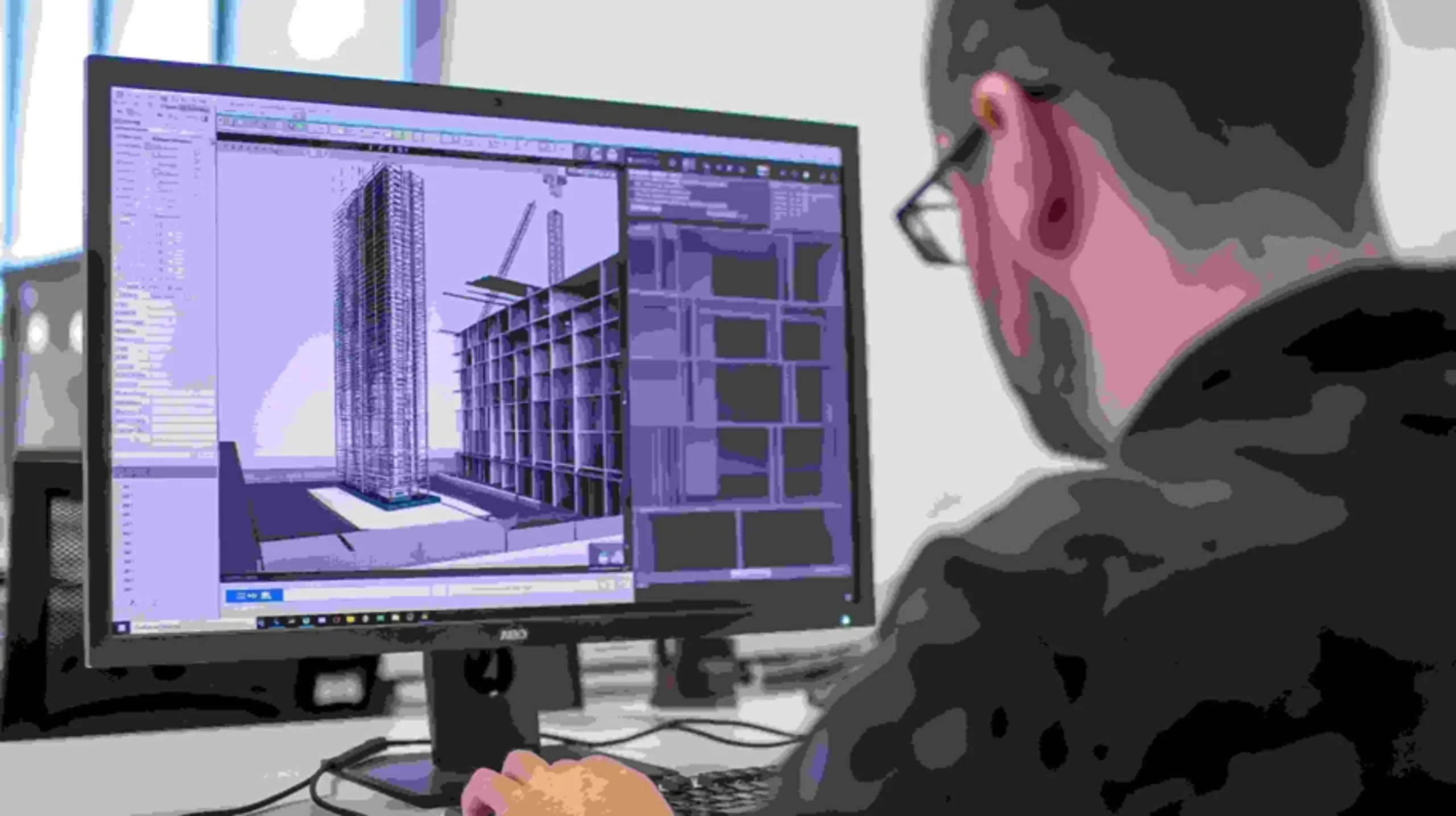
A Structural BIM Model provides a coordinated digital representation of a building’s structural system, allowing engineers, architects, contractors, fabricators, and owners to work with structured information instead of relying only on disconnected drawings. The model can represent foundations, columns, beams, slabs, structural walls, steel framing, reinforcement, connections, and other components depending on the project’s scope. Autodesk describes BIM for structural engineering as a unified environment that can connect multidisciplinary teams, support parametric design, improve data integrity, and reduce errors and rework.
For new construction, structural BIM can help teams coordinate structural design with architectural and MEP requirements before construction reaches the site. For existing buildings, the workflow can begin with 3D laser scanning, where the physical structure is captured and converted into a point cloud before being developed into an as-built BIM model. VB Terrascan provides this type of reality-capture workflow, connecting scanning, point clouds, BIM, and digital-twin applications for AEC projects.
This makes structural BIM particularly useful when accurate existing-condition information is required for renovation, redevelopment, structural assessment, retrofit, extension, industrial modification, or facility management. Instead of treating the BIM model as simply another 3D drawing, project teams can use it as a structured digital reference for understanding the building and coordinating future work.
What Is a Structural BIM Model?
A Structural BIM Model is an information-rich digital model that represents the structural components of a building or infrastructure asset. Depending on project requirements, it can include foundations, footings, columns, beams, slabs, structural walls, braces, trusses, steel members, reinforcement, connections, and other structural elements. Each element can carry information such as dimensions, material, type, location, level, relationships, and project-specific parameters. This makes the model different from a simple 3D visualization because the geometry is connected to structured information.
Autodesk’s current structural BIM guidance describes Revit-based structural workflows as supporting physical and analytical modeling, multidisciplinary coordination, detailed design, documentation, and interoperability with structural analysis workflows. The model can therefore act as a common digital environment where structural information is coordinated with architectural and building-services information. For an engineering team, this can make design changes easier to track and communicate.
The real value of a structural BIM model comes from how it is used. A structural engineer may use it to coordinate the structural system, a detailer may use it for reinforcement or steel detailing, a contractor may use it for construction coordination, and an owner may use an as-built version for future facility work. The model should therefore be developed according to its intended use rather than simply maximizing the amount of geometry included.
Structural BIM vs Traditional Structural Drawings
Traditional structural drawings remain important, but they generally communicate information through individual plans, elevations, sections, details, schedules, and annotations. BIM takes a more connected approach by representing structural components within a coordinated digital model. A beam modeled in Revit, for example, is not merely a collection of lines; it can be an actual structural element with parameters, dimensions, relationships, and associated documentation.
This distinction becomes particularly important when a project contains many structural elements and multiple disciplines. Autodesk identifies centralized BIM models as a way to improve collaboration, identify errors earlier, coordinate changes, and reduce downstream rework. A BIM environment can allow teams to review the same structural information from different views instead of manually reconciling every drawing.
| Feature | Structural BIM Model | Traditional Structural CAD |
| Representation | Intelligent structural elements | Primarily lines and geometry |
| 3D coordination | Integrated | Often separate |
| Structural information | Geometry + parameters | Primarily drawing information |
| Multi-disciplinary coordination | Strong | More dependent on manual coordination |
| Change management | Model-driven | Drawing-by-drawing |
| Clash detection | Supported through BIM workflows | More manual |
| As-built modeling | Can integrate scan/point-cloud data | Usually drawing based |
| Documentation | Model-generated views and schedules | Individually maintained drawings |
The goal is not necessarily to replace drawings. Instead, a structural BIM model can provide the underlying information from which coordinated drawings and other deliverables can be produced.
Why Structural BIM Modeling Is Important
Construction projects rarely involve only one discipline. Architecture, structure, HVAC, electrical systems, plumbing, fire protection, interiors, and specialist systems all compete for physical space. The structural system forms the backbone of the building, so changes to beams, columns, slabs, walls, foundations, and structural openings can affect almost every other discipline.
A structural BIM model provides a shared environment for understanding these relationships. Autodesk identifies improved collaboration, error reduction, design quality, and reduced design time among the benefits of BIM for structural engineering. Instead of discovering that a duct conflicts with a beam after construction begins, teams can review the digital environment and identify potential coordination issues earlier.
This matters financially as well as technically. A structural conflict discovered during design can usually be addressed through coordination. The same conflict discovered after concrete has been poured or steel has been fabricated can result in redesign, material waste, labor costs, delays, and potentially significant rework. BIM cannot eliminate every construction issue, but it can give teams a stronger information base for identifying and addressing many coordination problems before they reach the site.
What Does a Structural BIM Model Include?
The exact content depends on the project, but a structural BIM model can include a wide range of components. Foundations may include isolated footings, combined footings, raft foundations, piles, pile caps, and foundation walls. Vertical elements can include reinforced-concrete columns, steel columns, structural walls, cores, and other load-bearing components. Horizontal systems can include beams, slabs, joists, decks, and framing members.
Steel structures can be modeled with beams, columns, braces, plates, connections, trusses, and other fabrication-related elements. Concrete models may include reinforcement depending on the required level of development. Structural openings and penetrations can also be coordinated with MEP systems.
The model may also contain information related to materials, member sizes, levels, grids, construction phases, element IDs, and other parameters. For projects requiring more advanced structural workflows, the physical model can be coordinated with an analytical model. Autodesk explains that Revit supports coordination between physical and analytical structural models and interoperability with structural analysis software.
Revit Structural BIM Modeling
Autodesk Revit is widely used for structural BIM modeling because it supports the creation of coordinated physical and analytical representations of structures. Autodesk’s current Revit structural capabilities include structural analytical modeling, concrete design and reinforcement workflows, and detailed steel design.
A Revit structural model can begin with architectural information and establish structural levels and grids. Engineers can then develop foundations, columns, beams, slabs, walls, framing, and other components. Depending on the project, reinforcement and connection information can be developed at increasingly detailed stages.
The advantage is that structural documentation can remain connected to the model. Plans, elevations, sections, schedules, and other views can be generated from the underlying model. When changes are managed properly, this can reduce the risk of different drawings showing conflicting information.
For structural engineering organizations, Revit also provides a bridge between modeling and analysis-oriented workflows. Autodesk explains that structural analytical modeling in Revit facilitates BIM-centric analysis workflows and interoperability with analysis software.
Structural BIM Modeling Workflow
A professional structural BIM workflow usually starts with project requirements rather than modeling. The team first identifies the available information, required deliverables, modeling scope, project standards, coordinate system, levels, grids, and expected level of development.
For new construction, source information may include architectural models, structural design documents, calculations, specifications, engineering drawings, and survey information. For existing structures, the source may also include laser-scanning data, point clouds, photographs, old drawings, inspection records, and site observations.
The structural elements are then modeled according to the agreed requirements. Coordination checks are performed with architectural and MEP information, and the model is reviewed for geometry, structure, naming, parameters, and consistency. Final outputs may include the Revit model, drawings, schedules, coordination models, or other project-specific deliverables.
The workflow should also include quality control. A structurally detailed model that contains incorrect levels, disconnected elements, missing components, or inconsistent families can create downstream problems. BIM quality is therefore a combination of geometry, information, coordination, and validation.
From Drawings and Point Clouds to BIM
There are two major starting points for structural BIM: design documentation and reality-capture data. When accurate structural drawings are available, the modeling team can use them as a basis for creating the structural model. But existing buildings often present a different problem.
A building may have drawings that are decades old, incomplete records, undocumented modifications, or no reliable structural documentation at all. In these situations, 3D laser scanning can provide an additional source of measured information.
The resulting point cloud can be imported into an appropriate BIM workflow and used as a reference for modeling. Autodesk explains that Scan to BIM workflows use millions of captured points to represent surfaces and that point-cloud data can be processed for use in Revit.
This is where structural BIM and reality capture become particularly powerful.
Scan to BIM for Structural Modeling
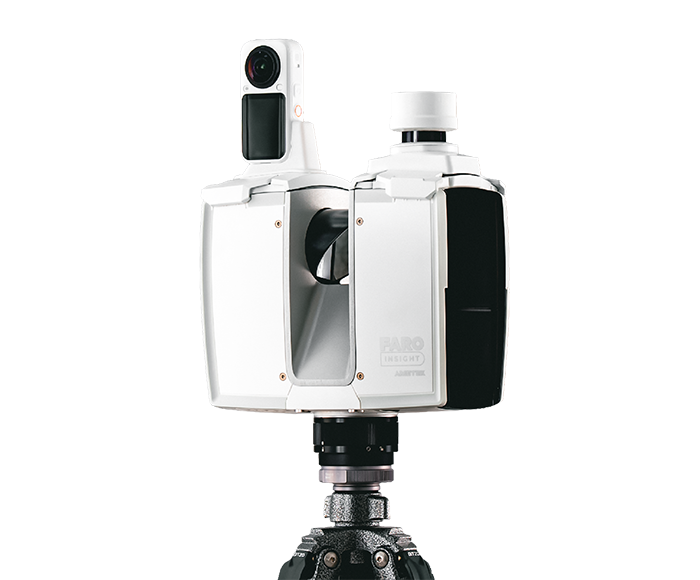
Scan to BIM for structural modeling combines 3D laser scanning with BIM development to create a digital representation of existing structural conditions. A scanner captures the physical environment and produces a point cloud containing spatial information. That point cloud is then processed, registered, reviewed, and used as a reference for developing the structural BIM model.
Autodesk describes Scan to BIM as a reality-capture workflow that can provide accurate and efficient building documentation, with point-cloud information subsequently interpreted into usable models.
VB Terrascan’s current workflow similarly connects Scan ? Point Cloud ? BIM ? Digital Twin, providing as-built Revit models and digital-twin-ready outputs.
For structural applications, the workflow can document visible columns, beams, slabs, walls, structural framing, and other physical components. The resulting model can support renovation, retrofit, extension, structural coordination, and as-built documentation.
The important point is that scanning and BIM modeling are separate but connected processes. The scanner captures evidence of the physical environment; the BIM specialist interprets that information and develops the structured model according to project requirements.
Structural BIM Modeling for Existing Buildings
Existing structures create a unique challenge because the project team is often working with incomplete information. A building may have undergone multiple renovations, tenant modifications, structural changes, MEP installations, and extensions over its lifetime. The current physical structure may therefore differ considerably from the original design documents.
A structural BIM model based on current site information can help establish a more reliable digital baseline. This is especially useful before major renovation or redevelopment. Instead of designing solely around old drawings, engineers can work from a digital representation of observed conditions.
For example, an existing commercial building may require additional floors, new MEP services, facade modifications, or changes to internal layouts. Understanding the existing structural grid, slab levels, columns, beams, and openings is essential before design decisions are made.
Laser scanning can capture the existing geometry, while BIM modeling converts the captured information into a structured environment. VB Terrascan specifically offers reality-capture and Scan to BIM workflows for complex AEC environments, including industrial facilities, commercial spaces, airports, heritage assets, and other sectors.
Benefits of Structural BIM Models
The benefits of structural BIM extend beyond 3D visualization. One of the most important is better coordination. When structural information is available in a shared digital environment, architects, engineers, contractors, and other stakeholders can review how their systems interact.
Another major benefit is error reduction. Autodesk identifies earlier error detection, better collaboration, enhanced design quality, and reduced design time as key advantages of structural BIM workflows.
Structural BIM can also improve documentation. Because drawings and schedules can be connected to the model, changes can be managed more consistently than in workflows where every drawing is maintained independently.
Other potential benefits include:
- Better interdisciplinary coordination
- Earlier identification of structural conflicts
- Improved visualization
- More consistent documentation
- Better design-change management
- Improved construction planning
- Support for fabrication workflows
- More reliable as-built documentation
- Better communication with project stakeholders
- Stronger foundation for digital-twin applications
The exact benefit depends on the project and how effectively the BIM model is integrated into the overall workflow.
Structural Coordination With Architecture and MEP
A structural model rarely exists in isolation. It must work with architecture and building services. Consider a typical ceiling area containing beams, ducts, pipes, cable trays, sprinklers, lighting, and architectural finishes. Every discipline wants space, but the available physical space is limited.
BIM coordination allows these systems to be reviewed together. Structural elements can be checked against architectural requirements and MEP routing. Openings can be coordinated before construction, reducing the possibility of unexpected drilling, cutting, rerouting, or redesign.
Autodesk describes BIM as moving structural engineering away from siloed workflows toward a unified environment where multidisciplinary teams can work from a shared source of information.
For contractors, this coordination can be especially valuable because construction teams need practical information about where systems will physically fit. A structurally correct design can still create construction problems if it has not been coordinated with the rest of the building.
Structural BIM for Concrete Structures
Concrete structures can be modeled in Revit using structural foundations, columns, beams, slabs, walls, and reinforcement elements. Depending on project requirements, the model can progress from basic structural design intent through more detailed reinforcement and construction documentation.
A concrete BIM model can represent different member sizes, materials, levels, structural relationships, openings, and reinforcement requirements. Autodesk’s current Revit structural capabilities include BIM-based concrete design and detailing workflows, including reinforcement and documentation.
For existing concrete buildings, Scan to BIM can provide additional information about current geometry. This can be useful for redevelopment, retrofit, condition assessment support, and documentation.
It is important to understand that a point cloud does not automatically determine hidden reinforcement or internal structural conditions. Laser scanning primarily captures accessible physical surfaces. Engineering judgment, inspection data, drawings, and other investigation methods may therefore be necessary when information about concealed structural components is required.
Structural BIM for Steel Structures
Steel BIM modeling can represent columns, beams, braces, trusses, plates, connections, and other components depending on the required level of development. Detailed steel BIM workflows can help connect design intent with fabrication and construction requirements.
Autodesk highlights Revit capabilities for detailed steel design and workflows that can connect steel design and detailing from concept through development.
For industrial facilities and warehouses, accurate structural documentation can be particularly valuable. Existing steel frames may need to be extended, modified, reinforced, or coordinated with new equipment and services.
VB Terrascan’s industrial and logistics workflows include structural Revit modeling from point-cloud data, demonstrating how reality capture can support structural documentation in operational environments. Its logistics-park service describes point clouds being processed into coordinated Revit models covering structural framing and other facility systems.
Structural BIM for Reinforcement Detailing
Reinforcement modeling takes structural BIM to a more detailed level by representing reinforcement within concrete members. This can include bars, spacing, shapes, hooks, quantities, and associated documentation depending on project requirements.
The value of reinforcement BIM lies in the connection between the structural design and the detailed representation of reinforcement. Autodesk identifies concrete reinforcement and the generation of related documentation among Revit’s structural capabilities.
For contractors and fabricators, detailed reinforcement information can support planning and documentation. However, reinforcement modeling should always follow the project’s approved engineering design, structural calculations, codes, and detailing standards.
A BIM model should not be treated as a substitute for structural engineering judgment. Instead, it provides a coordinated digital environment through which approved engineering information can be represented, documented, and communicated.
Structural BIM and Clash Detection
Clash detection is one of the most practical uses of structural BIM. A clash occurs when two systems occupy the same physical space in a way that cannot be constructed or maintained as planned.
Structural clashes can involve beams and ducts, columns and architectural openings, slabs and pipes, foundations and underground utilities, or steel framing and building services. Detecting these conflicts digitally can allow teams to evaluate alternative solutions before construction.
The earlier the issue is identified, the more options the project team generally has. A duct can be rerouted during design much more easily than after a concrete beam has already been constructed.
Autodesk specifically identifies clash detection and error identification as benefits of BIM-based structural workflows.
Structural BIM Model Levels of Development
Not every structural BIM project requires the same level of detail. A concept-stage model may only require major structural elements, while a fabrication-oriented model may require detailed connections, reinforcement, or member information.
The required level should therefore be established before modeling begins. The client should know whether the model is intended for:
- Conceptual design
- Design coordination
- Construction documentation
- Structural detailing
- Fabrication
- As-built documentation
- Facility management
- Digital-twin development
The phrase “high-detail BIM model” can mean different things to different people. A useful BIM specification should explain what elements must be modeled, what information they must contain, what tolerances apply, and how the model will be delivered.
This approach helps control cost while ensuring the final model is appropriate for its intended purpose.
Structural BIM for Construction and Fabrication
Structural BIM can connect design information with construction workflows. When structural elements are modeled accurately and coordinated with other disciplines, contractors can better understand construction sequencing, spatial relationships, and installation requirements.
For steel projects, detailed BIM information can support fabrication-oriented workflows. For concrete projects, reinforcement information can support detailing and documentation. Autodesk notes that BIM workflows can connect design, detailing, fabrication, construction sequencing, and field activities.
The model can also become a communication tool. A project manager, structural engineer, site engineer, fabricator, and architect may interpret a complicated structural arrangement more easily through a coordinated 3D environment than through a collection of disconnected drawings.
The objective is not to make BIM visually impressive. The objective is to make project information easier to understand, coordinate, and use.
Structural As-Built BIM Modeling
Structural as-built BIM modeling documents the structure as it exists after construction or at the time of survey. It is particularly valuable when existing documentation is incomplete or when the owner needs a reliable digital record of the current asset.
Scan to BIM can provide a strong foundation for this process. Laser scanning captures the physical environment, point-cloud data preserves the captured geometry, and BIM modeling converts the relevant structural information into structured model elements.
Autodesk notes that Scan to BIM workflows can be used for building documentation and that point-cloud data can provide a reference for modeling.
For owners, an as-built structural model can support future renovation, maintenance planning, facility documentation, expansion, and coordination. For complex assets, the model can also contribute to a broader digital-twin environment.
Structural BIM Applications Across Industries
Structural BIM is relevant across a wide range of sectors.
Commercial buildings can use structural BIM for new construction, redevelopment, tenant modifications, and renovation. Industrial plants can benefit from accurate documentation of structural frames, equipment supports, platforms, pipe racks, and building systems. Warehouses and logistics parks can use BIM for rack planning, expansion, coordination, and structural documentation.
Airports and large transportation facilities can benefit from structured models because of their size and multidisciplinary complexity. Healthcare facilities require coordination between structural elements and highly complex MEP systems. Heritage structures may require specialized Historic BIM or HBIM workflows to document irregular geometry and structural conditions.
VB Terrascan’s current sector offering includes airports, commercial spaces, industrial parks, healthcare, heavy civil, logistics parks, water infrastructure, heritage, hospitality, oil and gas, power infrastructure, and sports arenas.
The common requirement across these industries is straightforward: reliable digital information about physical assets.
Why Choose VB Terrascan for Structural BIM Modeling?
VB Terrascan combines 3D laser scanning, point-cloud processing, Scan to BIM, Revit modeling, and digital-twin workflows, making it particularly relevant for structural BIM projects where existing conditions need to be documented accurately. Its current service offering describes an end-to-end workflow from site scanning to intelligent BIM models and digital twins.
This approach is valuable because structural BIM for existing facilities is not simply a software exercise. It begins with understanding the physical environment. If the source data is incomplete, the BIM model may inherit those limitations. By integrating reality capture with BIM production, the workflow can establish a stronger relationship between the physical asset and its digital representation.
VB Terrascan also provides point-cloud deliverables compatible with tools including Revit, AutoCAD, CloudCompare, and ReCap. Its Scan to PCD service describes high-precision 3D laser scanning and point-cloud outputs for BIM, CAD, and digital-twin workflows.
For complex structural environments, the combination of field capture + point cloud + structural BIM + quality verification provides a practical digital foundation for renovation, coordination, construction, and asset documentation.
Structural BIM Model FAQs
What is a Structural BIM Model?
A Structural BIM Model is a digital, information-rich representation of a building’s structural system. It can include foundations, columns, beams, slabs, walls, steel framing, reinforcement, connections, and other structural components.
What software is used for Structural BIM Modeling?
Autodesk Revit is one of the widely used platforms for structural BIM modeling. Depending on the project, Revit can also work with structural analysis and other engineering software. Autodesk describes Revit as supporting physical and analytical structural workflows and interoperability with analysis tools.
Can a Structural BIM Model be created from a point cloud?
Yes. A point cloud generated through 3D laser scanning can be used as a reference for developing a structural BIM model. This workflow is commonly known as Scan to BIM.
What is the difference between Structural BIM and Structural CAD?
Structural CAD primarily focuses on digital drawings and geometry. Structural BIM combines geometry with structured information and relationships, allowing the model to support coordination, documentation, analysis-oriented workflows, construction, and other project activities.
Can VB Terrascan create an as-built Structural BIM Model?
Yes. VB Terrascan provides Scan to BIM services that connect 3D scanning, point-cloud processing, and BIM modeling. Its website specifically describes accurate as-built Revit models and digital-twin-ready outputs.
Conclusion
A Structural BIM Model provides a smarter way to represent, coordinate, document, and manage structural information. Instead of treating beams, columns, slabs, foundations, steel members, and reinforcement as isolated drawing elements, BIM connects them within a structured digital environment.
The value becomes even greater when the project involves an existing building. By combining 3D laser scanning, point clouds, Scan to BIM, and Revit structural modeling, project teams can create digital representations based on captured site conditions rather than relying exclusively on outdated drawings.
For new construction, structural BIM can support coordination between architecture, engineering, MEP, fabrication, and construction teams. For existing assets, it can provide an accurate digital baseline for renovation, redevelopment, retrofit, inspection support, and future asset management.
For organizations looking to digitize complex structures, the strongest workflow is not simply “create a Revit model.” It is to capture the physical reality, process the data, develop the appropriate BIM model, validate the result, and connect that information to the project’s next stage.
That is where VB Terrascan’s Scan ? Point Cloud ? BIM ? Digital Twin approach can provide a practical pathway from physical structures to reliable digital assets